Karo.bot vs Tasks.Bot for Smart Reminder Automation Software
Your team keeps missing deadlines because reminders get buried in WhatsApp chats. Choosing the wrong automation tool means field staff ignore tasks, managers chase updates manually, and nothing gets reported on time.
This comparison covers how Tasks.Bot and Karo.bot handle smart reminders, where each fits, and which features matter for deadline alerts, voice notes, and GPS tracking. You will also see Tasks.Bot's pricing model, beta status, and refund policy so you can decide whether it suits your team.
What Is Tasks.Bot? Smart Reminder Automation via WhatsApp
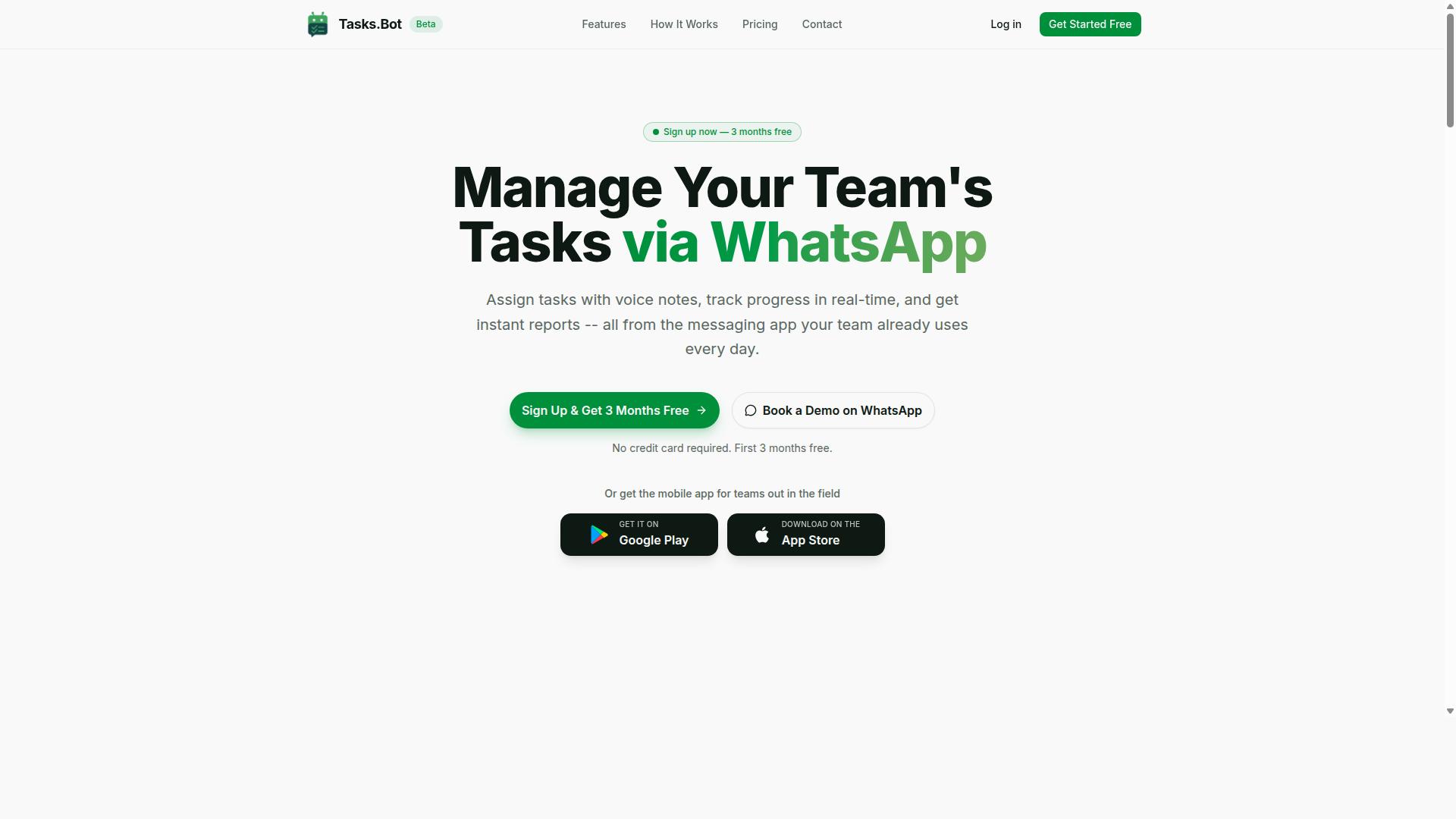
Tasks.Bot is a task management platform that operates entirely within WhatsApp, enabling teams to assign tasks, track progress, and receive reports without leaving the messaging app. Instead of asking workers to learn a new dashboard, it meets them inside the tool they already open dozens of times a day.
The core idea is simple: WhatsApp is already the workplace for many teams, so task management should live there too. A manager sends an instruction, a task is created, and progress flows back as messages rather than as another login to remember.
Tasks.Bot also offers a mobile app for field teams, which extends the same task flow to workers who spend their day away from a desk. The service is currently in beta and includes a free trial period, so teams can evaluate it before committing.
Smart reminder automation sits at the center of the product. Tasks.Bot uses AI to understand natural language and voice notes, which means a task can be described the way someone would say it out loud. It also supports smart deadline reminders and automations, so follow-ups happen on schedule rather than depending on someone's memory.
Because it runs on WhatsApp, Tasks.Bot is a SaaS product available globally. There is no hardware to install and no local setup. Any team with a phone number and a WhatsApp account can begin assigning tasks and tracking deadlines in the same conversation thread.
Who Tasks.Bot Serves: Teams With Field Staff on WhatsApp
Tasks.Bot is designed for teams that rely on WhatsApp for communication, particularly those with field staff who need to manage tasks, track attendance, and log payroll-ready hours. If daily coordination already happens in group chats, the platform slots into an existing habit instead of replacing it.
The biggest practical advantage is zero onboarding friction. Team members do not need to install a new app or create a separate account, because everything happens within WhatsApp. For crews spread across sites, that removes one of the most common reasons task software gets abandoned.
Tasks.Bot also supports attendance tracking and geolocation, which makes it a fit for field operations where knowing who is on site matters as much as knowing what they are doing. Hours logged this way are payroll-ready, which reduces the end-of-month scramble for timesheets.
Typical users include:
- Field service and maintenance crews working across multiple locations
- Delivery, logistics, and route-based teams
- Cleaning, security, and facilities staff managed remotely
- Sales and inspection teams that report from the road
The service is already used by hundreds of teams, according to the company. For a product still in beta, that signals real adoption rather than a concept pitch. A free trial period lets a new team test the workflow with its own staff before rolling it out further.
In short, Tasks.Bot suits organizations that want smart reminder automation, deadline tracking, and attendance records without forcing anyone to learn new software. The messaging app stays the interface, and the management layer sits quietly behind it.
Tasks.Bot vs Karo.bot: How the Two Compare for Smart Reminders
When evaluating smart reminder automation tools, Tasks.Bot and Karo.bot are two options that approach task management from different angles, with distinct strengths and limitations.
Tasks.Bot is built around a WhatsApp-first model, which means the reminder experience lives inside a messaging app that many teams already open dozens of times a day. Karo.bot, by contrast, is generally discussed as a more general-purpose reminder assistant, often associated with personal scheduling or other chat platforms.
That single difference in delivery channel shapes almost everything else: how quickly a team adopts the tool, which users get value from it, and what kinds of reminders are practical to send.
When comparing the two, it helps to look at three dimensions:
- Platform compatibility: where the bot actually runs and how users receive reminders
- Target users: solo individuals versus coordinated teams, including field staff
- Key features: personal nudges versus structured task assignment, tracking, and approvals
On platform compatibility, a WhatsApp-centric assistant leans on WhatsApp automation and familiar chat patterns. Tools built for other environments may rely on a dedicated app, a Telegram bot, or a Slack integration, each of which adds a separate place to check.
On target users, personal reminder bots tend to suit individuals managing their own calendar. Team-oriented task management bots fit groups that need collaborative task sharing, deadline tracking, and visibility into who is doing what.
On features, the distinction shows up in priority setting, task categorization, and whether reminders are tied to a person, a location, or a task status. A personal assistant focus usually stops at the individual. A team focus extends to assignment, follow-up, and completion.
Because public information about Karo.bot is limited, it is fair to describe it as a reminder tool that may emphasize personal use or different platforms, while treating Tasks.Bot's WhatsApp-centered, team-oriented design as its defining trait. Readers weighing a chatbot comparison should confirm current capabilities directly, since reminder software changes quickly.
Where Tasks.Bot's Reminder Automation Fits Best
Tasks.Bot's reminder automation excels in scenarios where teams already use WhatsApp for coordination and need to manage tasks without switching apps.
The clearest fit is the field team. When staff work off-site, reminders tied to a place or a job site carry more weight than a generic ping. Geolocation reminders help confirm that the right person is at the right location before a task is marked done.
A second strong fit is the manager assigning work by voice. Voice note creation lets a supervisor describe a job in their own words, which is faster than typing a detailed brief and easier for workers who prefer listening over reading.
A third fit is any team that runs on deadlines and approvals. Automatic deadline reminders and approval steps keep work moving without someone manually chasing updates. Recurring reminders handle daily or weekly routines, while time-based triggers cover scheduled check-ins.
Contextual reminders add another layer. Instead of firing on a fixed clock, they can respond to task status, for example nudging someone when an item is still open near its due date. This is where event-based triggers and priority setting do more than a simple alarm ever could.
The practical advantage is low adoption friction. Because the tool sits inside WhatsApp automation, there is no new app to install and no dashboard to learn. Attendance tracking and GPS visibility come through the same channel the team already trusts for messages.
Contrast this with tools that require a dedicated app or a complex setup. Those can work well for individuals, but every extra step is a place where a busy team member drops off. For groups with field staff, the WhatsApp-centric path tends to win on consistency alone.
In short, Tasks.Bot's reminder automation fits best where coordination already happens in chat, where people work away from a desk, and where managers want to assign, track, and approve tasks through messages rather than through a separate system.
Key Features That Make Tasks.Bot Stand Out
Tasks.Bot distinguishes itself through a suite of features tailored for WhatsApp-based task management, including AI-powered natural language processing, voice note task creation, and automated reminders. Instead of asking teams to learn a new dashboard, it puts task management bot capabilities inside the messaging app they already open every day.
The platform covers the full task lifecycle. Users get automatic task assignment, smart deadline reminders, approvals and automations, instant reports, and tasks on a map. There is also a live day tracker and shifts, leave, and hours management for teams that need more than simple to-dos.
One of the biggest adoption barriers for reminder software is the learning curve. Tasks.Bot removes much of it because everything happens inside WhatsApp. Team members do not need to switch apps, remember new logins, or train on a complex interface.
For field and mobile-heavy roles, Tasks.Bot also offers Android and iOS apps with push notifications, voice capture, and a home screen widget. These apps complement the WhatsApp experience rather than replace it, so staff can work from whichever surface suits the moment.
Smart Deadline Reminders, Voice Notes, and AI Task Creation
Tasks.Bot's smart deadline reminders, voice note functionality, and AI-driven task creation streamline how teams assign and track work within WhatsApp. The goal is to cut the manual entry that usually slows down productivity automation.
Smart deadline reminders notify assignees as a deadline approaches. If a task slips, recurring reminders keep it visible until it is closed out. This matters for deadline tracking because overdue work rarely gets resolved just because it passed its due date once.
Voice note task creation works the way a conversation does. A user records a voice note, and the system transcribes and parses it to pull out details such as due dates, priorities, and assignees. The same AI understands user intent from typed messages, so commands like "Remind John to submit the report by Friday" can become a structured task without a form.
This is natural language processing applied to everyday work. A few practical benefits include:
- Less time spent typing task details into fields
- Faster handoffs between team members
- Cleaner priority setting and task categorization
- Fewer missed deadlines thanks to time-based triggers
Together, these capabilities reduce manual entry and support better team productivity across the board.
Attendance, GPS Tracking, and Field Team Tools
For teams with field staff, Tasks.Bot offers attendance tracking, GPS location verification, and tools to manage off-site work directly through WhatsApp. This is where the platform moves beyond simple reminder software into a fuller operations tool.
Team members can mark attendance via WhatsApp, with face-verified attendance available to confirm identity. GPS location verification adds another layer, helping confirm that a person is actually on-site rather than simply marking in from anywhere.
Tasks on a map give managers a clearer picture of where work is happening. That context can support smarter assignment decisions, such as routing a nearby team member to a job. Attendance and task completion stay linked, so managers see both presence and output in one place.
Because these tools live alongside task management, there is less need for a separate attendance app. Shifts, leave, and hours management round out the picture, which simplifies payroll-ready hour tracking for admins.
For field teams, the combination of WhatsApp automation, geolocation reminders, and mobile apps means less paperwork and fewer gaps between what happens on-site and what gets recorded back at the office.
Pricing and Plans: Tasks.Bot's Full Access Model
Tasks.Bot offers a single 'Full Access' plan that includes all features, with pricing available in Indian Rupees and US Dollars. There are no confusing tiers to compare, no feature locks, and no upgrades to chase. One plan gives you everything the platform offers.
That structure matters for anyone comparing reminder software. Many tools split core capabilities across starter, pro, and business levels, so the feature you actually need often sits behind a higher price. Tasks.Bot removes that guesswork entirely.
Pricing is straightforward and published openly:
| Plan | Price | Billing |
|---|---|---|
| Monthly | ₹200 per member per month | Billed monthly |
| Annual | ₹1,200 per year per member | Billed yearly (save 50%, save ₹1,200/yr per member) |
The annual option works out to roughly half the monthly cost over a year, a 50% saving per member. For teams, that difference adds up quickly as headcount grows.
Currency is selectable at checkout. The site shows a 'Select currency' option with Indian Rupee and US Dollar choices, so international users can pay in the currency that suits them. It is worth confirming the active currency before completing any purchase.
New users also get 3 months free, with no credit card required and the ability to cancel anytime. That gives you a real window to test whether smart reminder automation fits your workflow before spending anything.
Because every feature sits inside Full Access, the plan covers the tools that matter for daily task management:
- Voice note task creation
- Smart reminders
- Attendance tracking
- Reports
Nothing here is gated behind a premium tier. Whether you rely on voice command support to capture tasks quickly or lean on reports to review team output, the same plan covers it.
One important note: Tasks.Bot is currently in beta. That status can affect both pricing and features as the product evolves. Beta pricing is often favorable, but terms may shift as the platform matures.
Because of that, check the website directly for the latest pricing and any promotional offers before you commit. Published rates and beta terms can change, and the site is the only source that reflects current conditions.
For a single-plan model, the value case is simple. You get voice note task creation, smart reminders, attendance tracking, and reports at one flat rate per member, with a free three-month entry point and no card required. That combination of full access and low commitment is unusual among reminder software options, and it makes the decision easy to evaluate on your own terms.
Trust Signals: Beta Status, Refund Policy, and Early Adoption
Tasks.Bot is currently in beta, which means it is still evolving, but it offers a refund policy and has already been adopted by hundreds of teams. Those three signals, the beta label, the refund option, and the early user base, tell a coherent story about where this smart reminder automation tool stands today.
For anyone weighing a task management bot for daily use, trust signals matter as much as features. A platform can promise natural language processing and cross-platform compatibility, but the practical question is whether it is safe to depend on. The details below explain what each signal means and how to read it before committing.
Beta status is a signal of momentum, not instability. Software in beta is under active development, which means improvements tend to arrive quickly. It also means some features may change or shift as the product matures. For early adopters comfortable with that trade-off, a beta release often delivers faster progress than a frozen, finished product.
The refund policy lowers the cost of trying it. Tasks.Bot mentions a refund policy in the footer of its site. That gives new users a safety net: you can evaluate the reminder software in your own workflow with less financial risk. It is a small detail, but it is the kind of detail that separates a serious product from a placeholder page.
Hundreds of teams already use the platform. That is meaningful social proof for a tool still in beta. Teams rarely adopt new productivity automation without a reason, so an existing user base suggests the product is delivering value in real working environments, not just in demos.
Two smaller signals round out the picture. The site's copyright year is 2026, which indicates the platform is actively maintained rather than abandoned. Tasks.Bot also offers a "Book a Demo on WhatsApp" option, so you can speak with someone directly before deciding, rather than relying only on documentation.
When evaluating any AI scheduling assistant, weigh these factors together:
- Development stage: beta means rapid improvement plus possible changes to features.
- Risk protection: a stated refund policy reduces the downside of testing the tool.
- Adoption: hundreds of teams using it is evidence of real-world usefulness.
- Maintenance: an up-to-date copyright year points to ongoing care.
- Direct contact: a demo booking option lets you ask questions before you commit.
None of these signals is conclusive on its own. Together, though, they paint a consistent picture: a product under active development, backed by a refund option, and already trusted by a growing set of teams. For a chatbot comparison or a personal assistant decision, that combination is a reasonable basis for giving Tasks.Bot a closer look.
Who Should Use Tasks.Bot for Smart Reminder Automation
Tasks.Bot is ideal for teams that communicate via WhatsApp and need to manage tasks, track attendance, and automate reminders without adopting new software. Rather than asking employees to learn a separate dashboard, the tool works inside a messaging app most people already open every day.
That approach to smart reminder automation fits a specific set of users better than others. Below are the profiles that tend to get the most value from it, along with the situations where a different kind of tool may serve a team better.
Small and medium-sized teams with field staff. Crews spread across job sites, delivery routes, or client locations rarely sit at a desk. A task management bot that lives in WhatsApp reaches them where they already are, so assignments and reminders do not get buried in email.
Managers who assign work through chat. If a supervisor already sends instructions by message, moving that habit into a structured tool is a small step. Reminders, follow-ups, and status updates stay in one thread instead of scattering across calls and sticky notes.
Organizations that want a lightweight solution. Teams that find full project management suites too heavy often prefer something that handles the essentials: assigning tasks, tracking who did what, and sending reminders on schedule. Less setup usually means faster adoption.
Remote and on-site teams anywhere. Because the core experience runs through a messaging app, location matters less. A distributed team and an office-based one can follow the same process without extra hardware or training sessions.
Groups already heavy WhatsApp users. The biggest advantage goes to teams that avoid onboarding friction. When the reminder tool feels like a natural extension of an existing chat habit, people actually use it instead of abandoning it after a week.
It may not suit every organization, though. Teams that need deep integration with dedicated project management platforms, complex reporting, or tightly connected development workflows may find a chat-first approach too limited for their needs.
- Good fit: field teams, chat-first managers, small businesses, remote crews, WhatsApp-heavy organizations.
- Weaker fit: teams requiring deep project management integrations, advanced reporting, or heavily customized workflows.
The pattern is simple. If communication already happens in chat and the goal is reliable task tracking with automated reminders, this style of tool removes the biggest barrier to adoption: getting people to use it at all.
Final Verdict: Is Tasks.Bot the Right Choice for You?
Tasks.Bot presents a compelling option for teams seeking WhatsApp-native task management with smart reminders, though its beta status and feature set should be weighed against your specific needs. The platform is built around a clear idea: instead of asking people to adopt yet another standalone app, it delivers task management and reminder automation inside WhatsApp, the messaging tool many teams already use every day.
That design choice matters for adoption. When reminders arrive as familiar chat messages rather than as notifications buried in a separate dashboard, people are far more likely to act on them. Tasks.Bot leans into this with an AI scheduling assistant that supports natural language processing, so users can describe a task in plain words and let the bot handle the structure.
For anyone weighing reminder software, the real question is fit. Tasks.Bot is not trying to be everything to everyone. It is a focused task management bot for teams that live in WhatsApp and need reliable follow-through, not a sprawling project management suite.
Below is a balanced look at where Tasks.Bot stands out, where it may fall short, and who should consider it.
Where Tasks.Bot stands out
The strongest argument for Tasks.Bot is its WhatsApp automation. Because the bot operates where conversations already happen, there is little friction in getting a team to use it. No new login habits, no training sessions, no chasing people to check a dashboard.
Task creation is another highlight. With AI-powered task creation and natural language processing, a user can type a request the way they would message a colleague, and the system turns it into an actionable item. This lowers the barrier for personal assistant style usage and keeps data entry light.
Tasks.Bot also includes field team tools, which sets it apart from reminder apps aimed purely at desk workers. For teams whose staff are on the move, reminders that reach a phone through WhatsApp are practical in a way that desktop-first tools often are not.
Together, these strengths point to a product that understands its audience: mobile, chat-first, and results-oriented.
Limitations to keep in mind
No tool is without trade-offs, and Tasks.Bot has a few worth noting. The most significant is that it is in beta status. That usually means the product is still evolving, and teams with strict change-management requirements may want to account for that.
The WhatsApp-first approach is a strength and a constraint. Organizations that prefer email, a web dashboard, or platforms like a Telegram bot or a Slack integration may find the fit less natural, since the experience is centred on one channel.
Advanced integrations are another area to verify. If your workflow depends on specific connections, such as Google Calendar sync or a Microsoft Outlook integration, confirm current support directly before committing. The verified brand facts do not specify an integration list, so treat this as a due-diligence item rather than an assumption.
Finally, teams that need deep reporting, custom workflows, or enterprise controls may outgrow a focused reminder bot. That is not a flaw so much as a scope question, and it is best answered honestly up front.
Who should choose Tasks.Bot
Tasks.Bot fits best with teams that already run their day-to-day communication through WhatsApp. If your staff, contractors, or field crews coordinate by chat, adding reminders into that same thread is a natural extension rather than a new burden.
It also suits organizations with field staff who need reminders wherever they are. Time-based triggers, recurring reminders, and contextual prompts delivered to a phone are exactly the kind of support that keeps distributed teams on schedule without constant supervision.
Small and mid-sized teams that want productivity automation without a heavy platform will likely find the lightweight approach appealing. The same goes for anyone who wants a personal assistant style bot that handles task capture and follow-up in plain language.
By contrast, if your priority is a broad integration ecosystem or a fully mature platform with a long track record, it may be worth waiting or evaluating alternatives. The right answer depends on how central WhatsApp already is to how you work.
The bottom line
Tasks.Bot is a strong choice for WhatsApp-centric teams that want smart reminder automation without adding another app to the stack. Its combination of chat-native delivery, AI-powered task creation, and field team tools addresses a real gap for mobile, distributed workforces.
The caveats are honest ones. Beta status, a WhatsApp-first design, and an integration set that should be confirmed before adoption are all factors to weigh. None of them undermines the core value proposition for the right user.
If your team communicates through WhatsApp and struggles with follow-through, Tasks.Bot is worth a serious look. If your workflow depends on other channels or advanced integrations, verify the details first.
For further information or to book a demo, contact Tasks.Bot via phone at +91 97143 42522 or email [email protected].
Frequently Asked Questions
What is the main difference between Karo.bot and Tasks.Bot?
Tasks.Bot is a task management platform that operates entirely within WhatsApp, letting teams assign tasks, track progress, and receive reports without installing anything or creating new accounts. Karo.bot is another reminder automation tool, but if you want task management that lives where your team already chats, Tasks.Bot is built specifically for that. We'd recommend comparing both against your team's workflow before deciding.
Do my team members need to download a new app to use Tasks.Bot?
No. Tasks.Bot works inside WhatsApp, so team members don't need to install anything or create new accounts. For field teams, there's also a mobile app available if you need it. This makes onboarding much faster than tools that require everyone to adopt a separate platform.
Can Tasks.Bot handle reminders for field teams, not just office staff?
Yes. Tasks.Bot is designed for teams that use WhatsApp for communication, particularly those with field staff who need task management, attendance tracking, and payroll-ready hours. Features include smart deadline reminders, tasks on a map, live day tracking, and face-verified attendance. If your reminders need to reach people on the move, that's exactly the use case Tasks.Bot is built for.
How does Tasks.Bot pricing compare to Karo.bot?
Tasks.Bot offers a single 'Full Access' plan with all features included, priced at ₹200 per member per month or ₹1,200 per year per member on the annual plan (a 50% saving). Pricing is available in Indian Rupees and US Dollars. We can't speak to Karo.bot's current pricing, so we'd suggest checking their site directly for an accurate comparison.
Can I create tasks using voice notes or natural language?
Yes. Tasks.Bot uses AI to understand natural language and voice notes for task creation, so you can simply message the bot the way you'd message a colleague. It also supports automatic task assignment, approvals, automations, and instant reports. This keeps the experience conversational rather than form-heavy.
Is Tasks.Bot available in my country, and how do I get started?
Tasks.Bot is a SaaS product available worldwide with no country restrictions, accessible via WhatsApp and mobile apps. You can book a demo on WhatsApp directly from the website, or reach the team at [email protected] or +91 97143 42522. Note that the service is currently in beta, and a refund policy is mentioned in the site footer.
Recommended Resources: